


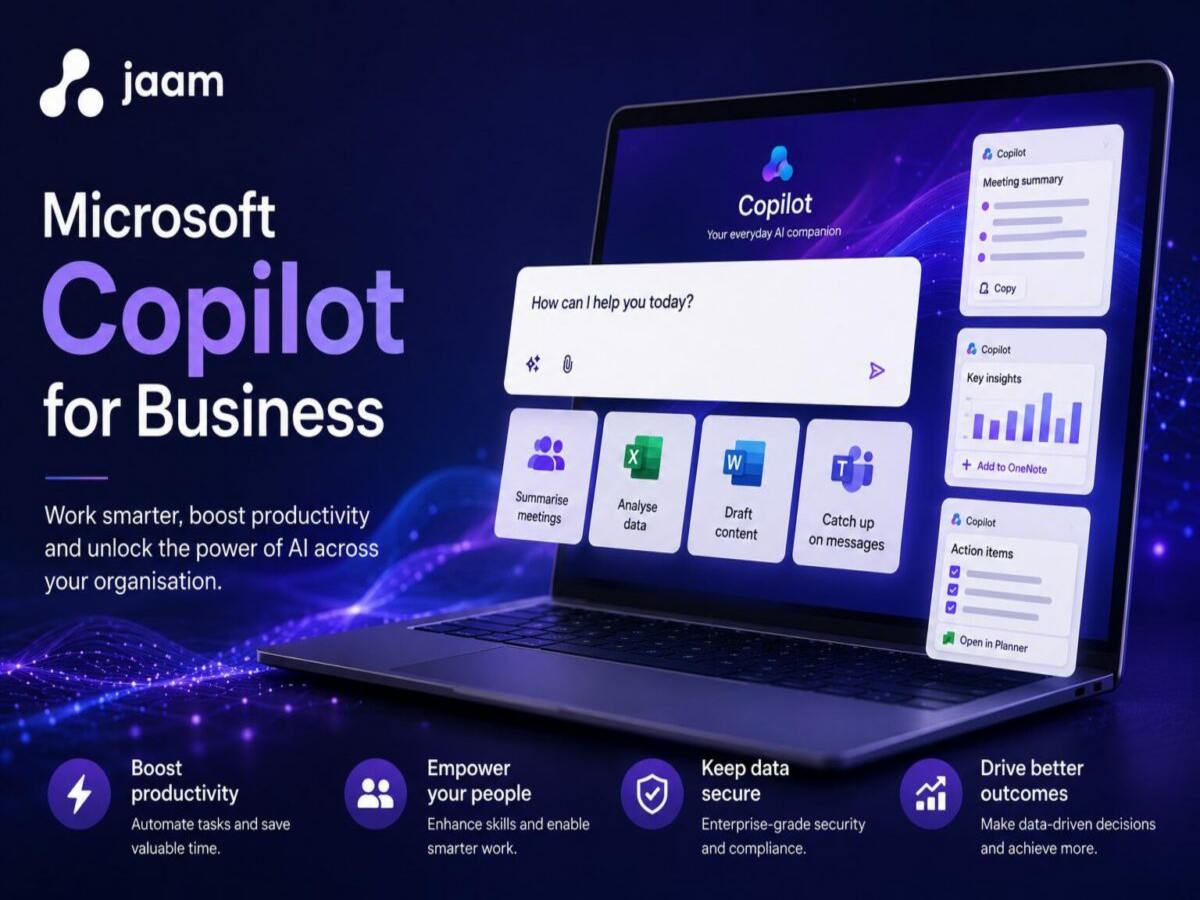
Microsoft Copilot is rapidly becoming a core part of how organisations approach AI. It is being discussed at leadership level, embedded into Microsoft products, and positioned as a driver of productivity and efficiency.
However, many organisations are still unclear on what it actually does in practice, and where it delivers real business value. Is it simply an AI chatbot? How does it relate to Microsoft 365? And what determines the level of impact it can deliver?
The challenge is not a lack of awareness, but a lack of clarity.
This blog provides a clear, practical view of how Microsoft Copilot works in a business context. It explains how Copilot Chat, Microsoft 365 Copilot and Copilot Studio fit together, and what drives real value as adoption matures.
How Microsoft Copilot Works in a Business Environment
At its core, Microsoft Copilot is an AI-powered experience that sits across the Microsoft ecosystem, helping users create, analyse and act on information more efficiently.
For most users, this experience is accessed through a conversational interface, often referred to as Copilot Chat, as well as directly within tools like Word, Excel, Outlook and Teams.
What's important to understand is that this is not a collection of separate tools that you move between. It is a single, integrated experience. The level of capability available depends on two key factors:
- The data it can access
- The licensing in place
This means the question is not "which Copilot should we use?", but rather "what level of capability do we need?"
Copilot Chat vs Microsoft 365 Copilot: Understanding the Difference in Capability
One of the most common misconceptions is that Copilot Chat and Microsoft 365 Copilot are separate tools or stages in a journey.
In reality, they are part of the same experience. Microsoft 365 Copilot extends what Copilot Chat can do.
Copilot Chat: AI Chatbot for Business Productivity
Copilot Chat provides a conversational interface where users can ask questions, generate content and explore ideas.
It is typically used for:
- Drafting emails or documents
- Summarising information
- Brainstorming ideas
Copilot Chat can also access organisational data based on the user's Microsoft Entra account and permissions. In many cases, this includes a user's own documents and accessible files, even without Microsoft 365 Copilot licensing.
This makes it a valuable starting point for individual productivity, with increasing value as more organisational context becomes available.
Microsoft 365 Copilot: AI in Word, Excel, Outlook and Teams
Microsoft 365 Copilot builds on this same experience by connecting it to your organisation's data and embedding it within everyday tools.
Within Word, Excel, PowerPoint, Outlook and Teams, Copilot can:
- Draft and refine content using internal documents
- Analyse business data
- Summarise meetings and email threads
- Surface relevant organisational knowledge
The key difference is not the interface. It is the depth of context and capability.
With the right licensing in place, Copilot becomes significantly more powerful because it can securely access and work with the information your business already holds.
This is often where organisations begin to see meaningful productivity gains.
Copilot Studio for Business: AI Agents and Workflow Automation
Copilot Studio represents an extension of Microsoft Copilot capabilities, focused on process automation and system integration.
With Microsoft 365 Copilot, organisations can already begin building basic AI agents using built-in agent capabilities (often referred to as agent builder). This allows users to create simple agents directly within the Microsoft 365 environment.
Copilot Studio builds on this by enabling more advanced scenarios, including:
- Deeper system integrations
- More complex workflows
- External-facing agents
- Greater control over logic and orchestration
Using these tools, organisations can create AI agents that:
- Retrieve and act on information across systems
- Respond to internal or external queries
- Trigger workflows and automate processes
At this point, AI is no longer just assisting individuals. It is actively contributing to how the organisation operates.
Where Microsoft Copilot Delivers the Most Business Value
While there is clear value in using AI for drafting content and improving day-to-day tasks, the more significant gains tend to come when three elements come together:
- Access to organisational data
- Integration into daily workflows
- Automation of repeatable processes
Many organisations start with Copilot expecting immediate transformation, but real value only emerges when it is connected to business data, embedded into workflows, and aligned to specific use cases.
As these capabilities expand, AI moves from being a helpful assistant to becoming a meaningful driver of efficiency and decision-making.
Microsoft Copilot Adoption: How Organisations Unlock More
Although the technology itself is integrated, adoption tends to evolve over time.
Most organisations:
- Start by exploring AI in a low-risk way through conversational use
- Expand into embedded productivity within Microsoft 365 tools
- Then begin looking at automation and AI-driven workflows
This is not a journey between different tools, but a gradual expansion of capability as confidence, data readiness and licensing mature.
Microsoft Copilot Licensing Explained (Overview for Businesses)
Microsoft Copilot capabilities are made available through different licensing options.
At a high level:
- Core Copilot experiences are accessible within Microsoft environments
- Microsoft 365 Copilot is typically licensed as an add-on, unlocking AI within applications and organisational data
- Copilot Studio capabilities are included for internal use within Microsoft 365 Copilot, with additional licensing typically required for more advanced or external-facing scenarios
In practice, licensing decisions are closely tied to:
- Data readiness
- Governance
- The level of impact an organisation is aiming to achieve
Microsoft Copilot Implementation and Adoption Support
A common challenge is not understanding what Copilot is, but knowing how to apply it in a meaningful way.
Most organisations are already investing in Microsoft 365, but are not yet extracting meaningful AI value from it.
At jaam, we help organisations move from experimentation to measurable business impact with Microsoft Copilot.
This starts with identifying high-value use cases and ensuring the right data, security and governance foundations are in place.
From there, we support:
- Implementation
- User adoption
- The development of AI-driven workflows and agents
The focus is always on delivering practical outcomes, not just introducing new technology.
Getting Started with Microsoft Copilot for Your Organisation
If you are currently exploring Microsoft Copilot, you are in a similar position to many organisations.
There is clear potential, but also uncertainty around where it will deliver the most value.
The key is understanding how the capabilities fit together, and identifying the right starting point based on your organisation's goals, data readiness and existing Microsoft investment.
From there, it becomes much easier to move forward with confidence.
Understand Where Copilot Can Deliver Value in Your Organisation
If you're exploring Microsoft Copilot but are unsure where it will have the biggest impact, we can help you identify the right starting point, align licensing to your goals, and define practical use cases.
Book a Copilot Strategy Session →